- Prompt
- Photorealistic 2D Render Prompt – Second Floor
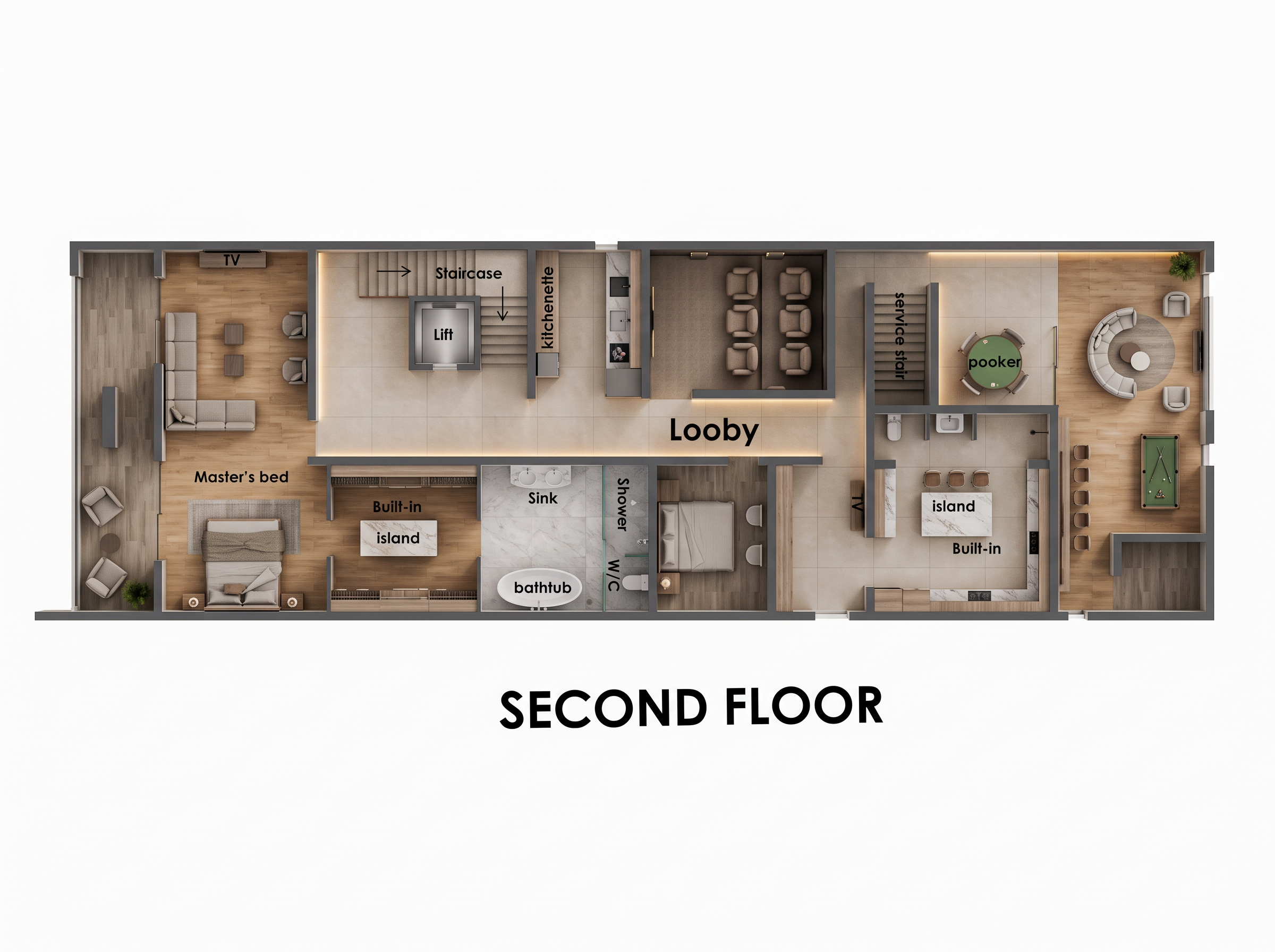
Transform the provided second-floor architectural floor plan into a high-quality, photorealistic 2D top-view floor plan render. Strictly maintain the original layout, wall positions, room dimensions, furniture arrangement, staircase, lift, lobby, master bedroom, bathroom, kitchenette, dining area, island, service stair, and circular seating area. Use large-format beige porcelain floor tiles in the lobby and common areas, warm natural tile flooring in the master bedroom, and light grey marble tiles in the bathroom. Apply a sophisticated palette of cream, beige, warm wood, soft grey, and subtle dark accents. Add realistic furniture textures, detailed sanitary fittings, elegant kitchen cabinetry, marble countertops, subtle warm LED strip lighting, natural shadows, ambient occlusion, and soft architectural lighting. Render from a perfectly vertical 90-degree overhead camera with crisp outlines, realistic material finishes, balanced exposure, and professional architectural visualization quality. Use clean white space around the plan and retain the bold SECOND FLOOR title beneath it. Ensure all furniture, walls, doors, and fixtures remain in their original positions. Ultra-detailed, sharp, realistic, presentation-ready architectural floor plan, 4K quality. No perspective distortion, no redesigned layout, no extra rooms, no missing furniture, and no unnecessary decorative patterns.
- Created
- October 16, 2026