- Prompt
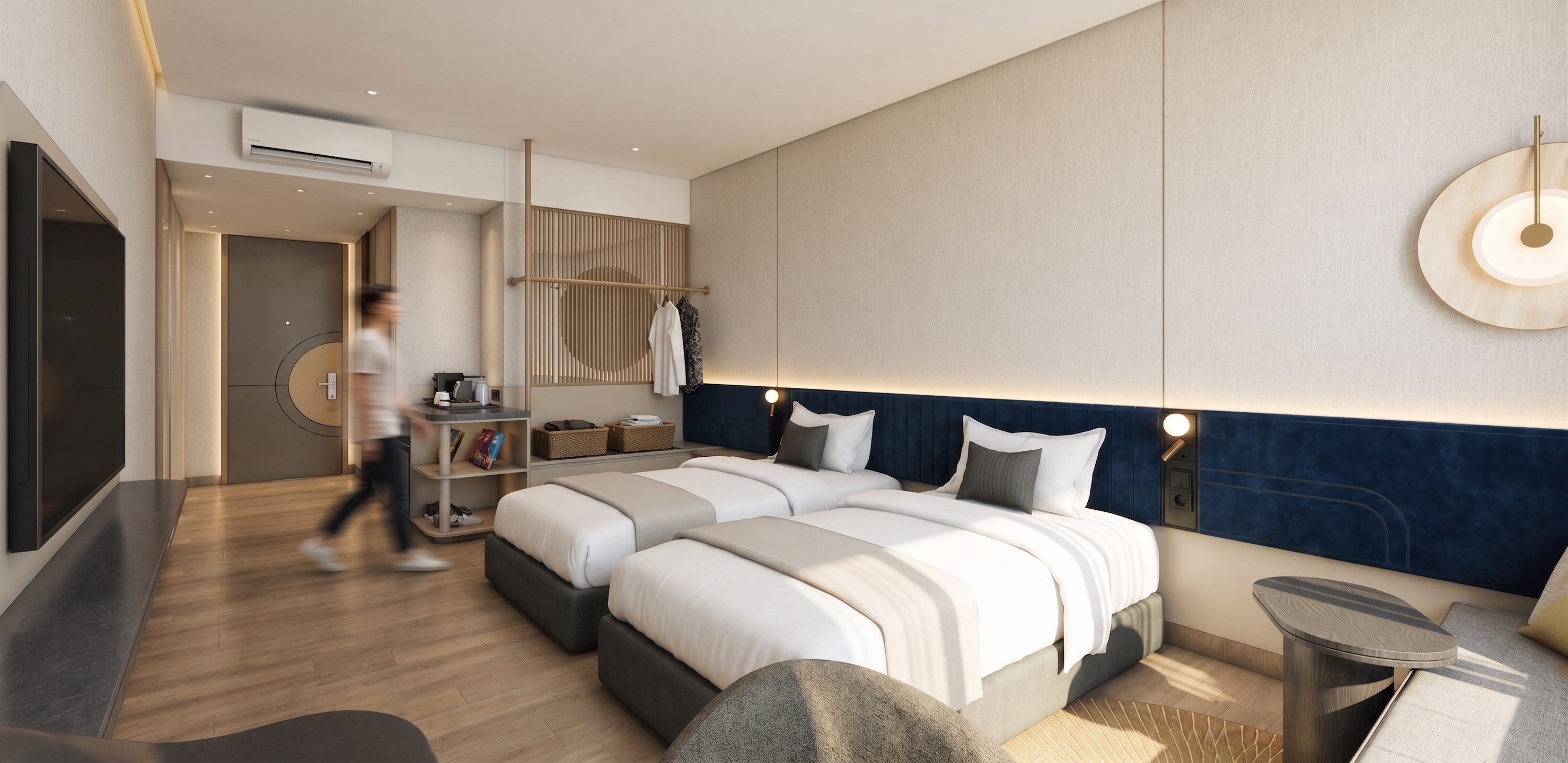
- Create a highly photorealistic, premium hotel interior render while preserving the original layout, proportions, furniture, materials, colors, and design details exactly as shown.
Use warm, natural, elegant lighting with minimal LED lighting only where necessary. Avoid excessive LED strips on the ceiling, walls, furniture, or decorative elements. Keep only a very subtle warm indirect light behind the navy-blue headboard and practical bedside reading lights as the main accent lighting.
Maintain the deep navy-blue vertically paneled headboard, realistic white bedding with natural fabric texture and subtle wrinkles, and beige textured fabric/woven wall panels. Keep the light wood flooring with realistic wood grain and natural variation.
Make all materials highly realistic, including wood, fabric, upholstery, metal, glass, and wall finishes, with accurate roughness, subtle reflections, natural shadows, and realistic surface imperfections.
Keep all existing elements unchanged: TV, console, coffee station, hanging rail, slatted partition, entrance door, air conditioner, lounge chair, side table, and decorative elements.
Use soft natural shadows, realistic global illumination, balanced exposure, warm muted color grading, subtle reflections, and a calm sophisticated hotel atmosphere.
Avoid: excessive LED strips, glowing edges, overexposure, too many spotlights, artificial CGI appearance, changing the layout, adding furniture, or altering the original material colors and design.
add led light
- Created
- September 16, 2026