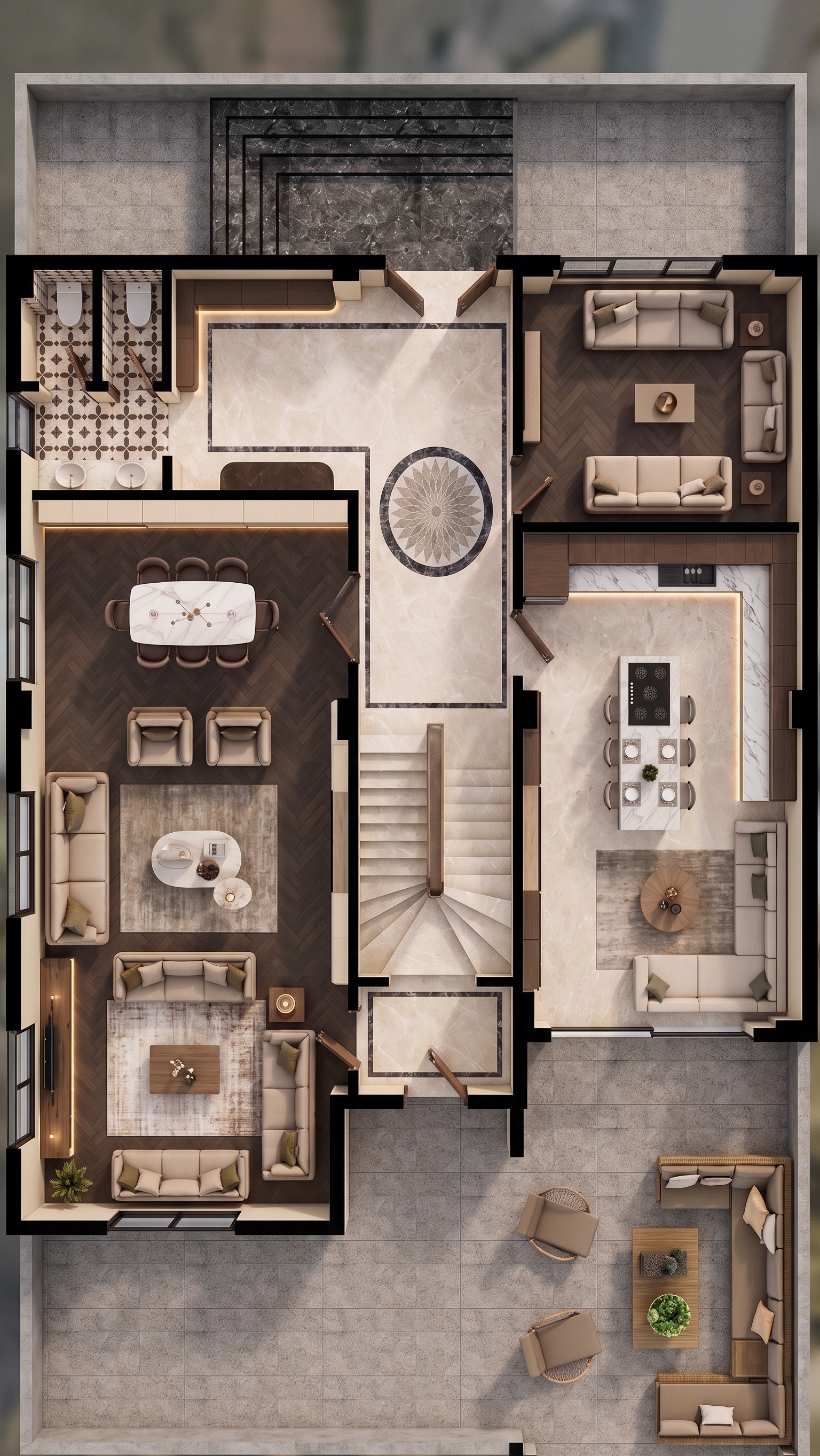
- Prompt
- **IMPORTANT – KEEP THE ORIGINAL PLAN EXACTLY UNCHANGED**
1. The uploaded project is the **absolute base reference**. Do NOT change the rooms, areas, proportions, dimensions, walls, doors, windows, furniture (tefriş) or their locations.
2. **DO NOT add or remove anything.** No new room, area, furniture, door, window or architectural element.
3. **NEVER change the location, size, proportions or design of the existing furniture.**
4. **Do NOT change the room proportions, room sizes or layout in any way.**
5. Do NOT add any text, labels, signs or writing to the render.
6. Use the **reference image** for the exact furniture appearance, furniture style and flooring appearance. Keep these materials and visual style consistent.
7. Add subtle **linear LED lighting in front of the cabinets**.
8. Add rugs under the sofas, matching the flooring, furniture and overall interior style.
9. All furniture must visually complement each other and create a **cohesive, harmonious interior**.
10. Where the plan shows doors and windows, add them according to their exact locations in the plan.
11. **Reference 1:** Use this image ONLY as a reference for the desired **door appearance and style**. Take the door design from this reference.
12. **Reference 2:** Use this image ONLY as a reference for the desired **window appearance and style**. Take the window design from this reference.
13. The stairs must be shown as **realistic 3D stairs going upward**, while keeping their exact location and geometry according to the plan.
14. **Reference 3:** Use this image ONLY as a reference for how the stairs should look in 3D.
15. The flooring must remain **exactly like the main furniture/flooring reference**. Do NOT change its material, pattern or appearance.
16. Create a **realistic, high-quality 3D interior render** with consistent lighting, materials and furniture style.
**ABSOLUTELY NO CHANGES TO THE PLAN.**
Do not change furniture, furniture positions, room proportions, room sizes or layout.
**DO NOT ADD ANY NEW ROOM, AREA, DOOR, WINDOW OR FURNITURE.**
- Created
- September 23, 2026