Skip to content
Render tools
Use the uploaded hand-drawn architectural floor plan as the ABSOLUTE DESIGN AND LAYOUT REFERENCE.

DO NOT redesign the plan.
DO NOT reinterpret the plan.
DO NOT create your own layout.

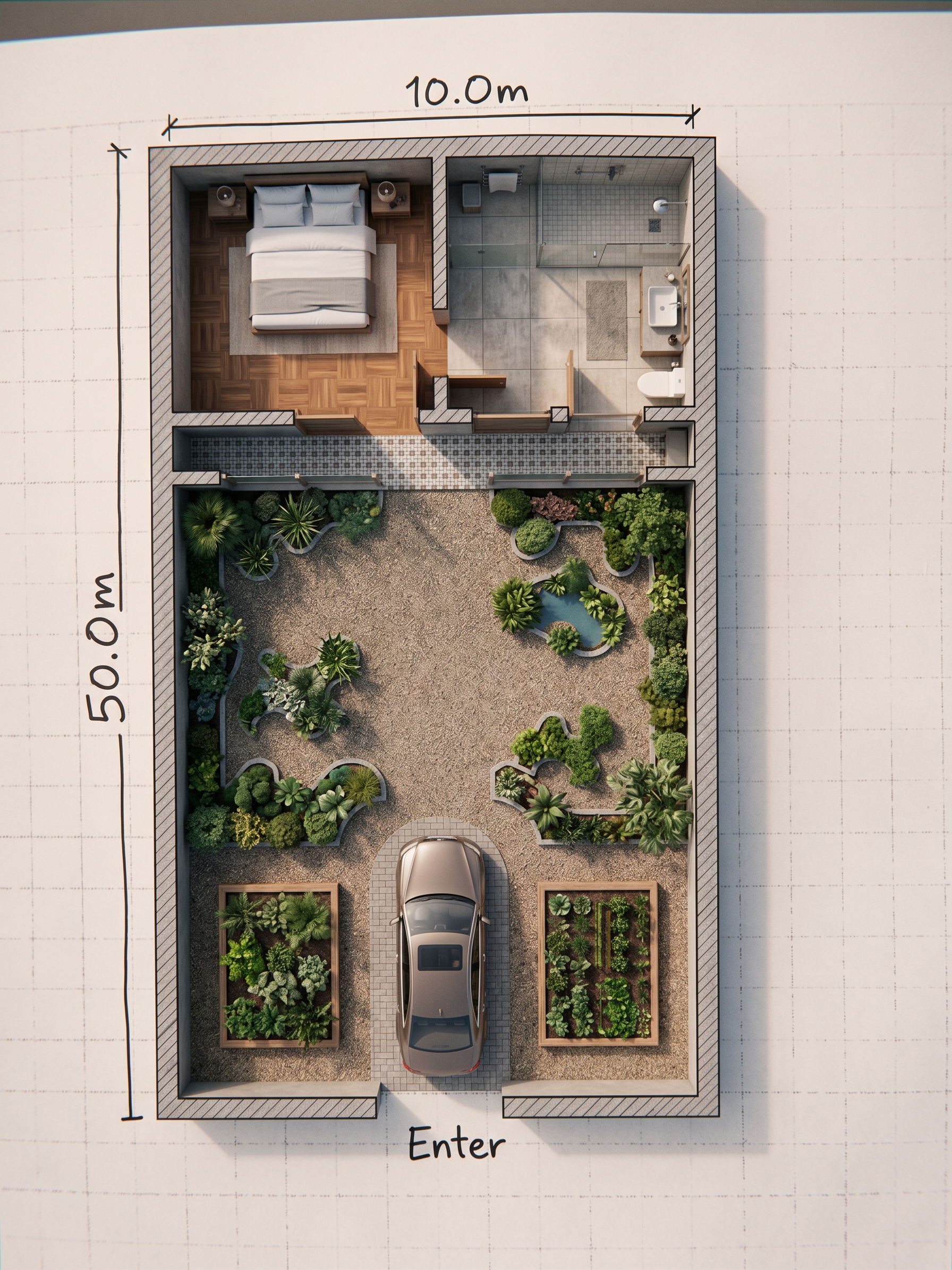
Your ONLY task is to convert my exact hand-drawn plan into a highly realistic, professionally rendered architectural floor plan.

EVERY SPACE MUST REMAIN EXACTLY WHERE I DREW IT.

Preserve exactly:
- The position and shape of every room
- All walls and partitions
- The exact location of the bedroom
- The exact location of the bathroom and WC
- The exact location of the living room
- The exact location of the kitchen
- The exact location and shape of the pool
- The exact location of the parking area
- The exact location and boundaries of all green spaces
- All circulation paths
- All entrances and openings
- The proportions and relationships between spaces

DO NOT move, rotate, resize, merge, separate or replace ANY space.

If my drawing looks irregular, follow my drawing anyway.
Do not "improve" the architectural layout.
Do not make your own architectural decisions.
Do not add spaces that are not shown in my drawing.
Do not remove spaces shown in my drawing.

The uploaded drawing is the SOURCE OF TRUTH for the architectural layout.

Only after accurately reproducing the exact layout, add:
- realistic furniture according to the function of each space
- realistic kitchen cabinets and fixtures
- realistic bathroom fixtures
- realistic pool water
- realistic landscape and vegetation
- realistic flooring and material textures
- realistic shadows and lighting
- high-quality architectural visualization

The final result should look like a high-end photorealistic rendered floor plan while maintaining 100% of my original layout.

CAMERA:
Perfect 90-degree top-down orthographic view.
No perspective.
No isometric view.
No angled camera.
No camera distortion.

MOST IMPORTANT:
LAYOUT ACCURACY HAS PRIORITY OVER EVERYTHING ELSE.
REALISM AND RENDER QUALITY MUST BE ADDED ON TOP OF MY EXISTING DESIGN, NOT USED TO CHANGE MY DESIGN.

Create renders like this

Turn any photo, sketch, or floor plan into a photoreal render in seconds.