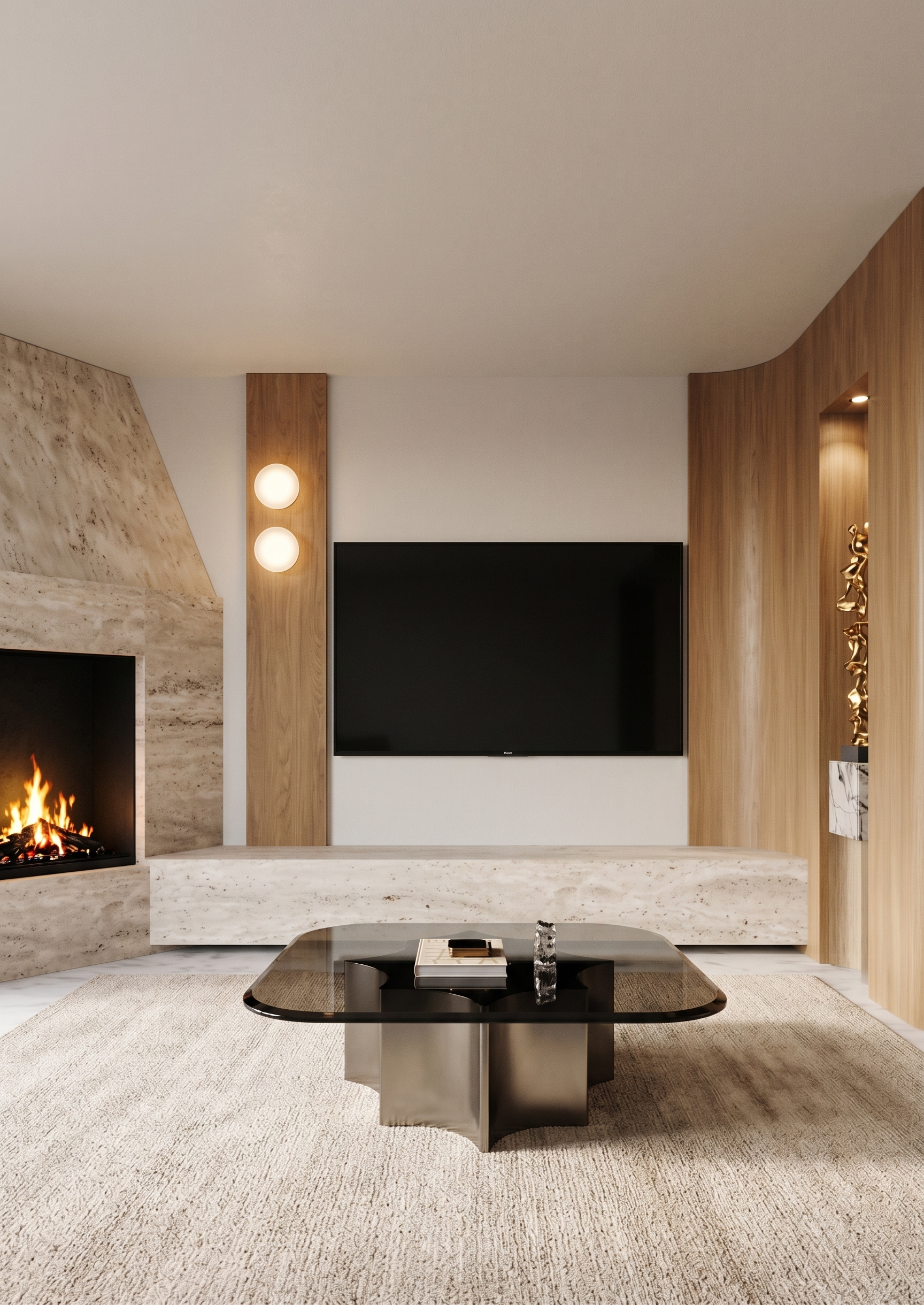
- Prompt
- Create photorealistic, high-end interior renders of the TV wall composition. Strictly preserve the original image dimensions, aspect ratio, camera angle, perspective, geometry, proportions, layout, and entire design. Do not modify, redesign, or reposition any architectural elements or furniture. The goal is to transform the existing 3D model into a realistic, professionally styled interior render while following the specified references precisely.
Flooring and wood finishes: Match the flooring and wood tones exactly to Reference 1. All wooden surfaces must have the same natural wood color, grain, texture, and finish as shown in References 1 and 2. Avoid introducing different wood shades or changing the material appearance.
Corner fireplace: On the left side, there is a corner fireplace finished in travertine, positioned at a 45-degree angle to the TV wall. Preserve its exact geometry, orientation, and dimensions. The black area indicates the actual fire opening, where the flames should be visible. Render the fireplace in realistic natural travertine, with authentic stone texture, subtle tonal variations, and refined detailing.
Raised travertine platform: The fireplace and TV wall are connected by a tall, raised travertine platform, exactly as shown in the original 3D model. Preserve its precise shape, height, proportions, and position. Use the same travertine finish as the fireplace to create a cohesive architectural composition.
TV wall: The black rectangle on the front-facing wall represents the television. Render it as a realistic, flat-screen black TV, maintaining its exact size, position, and proportions. Between the TV and the fireplace, there is a vertical wooden panel finished in the wood tone shown in References 1 and 2. Preserve the panel’s exact dimensions and placement.
Round wall lights: The two pink circles on the wooden panel indicate two circular wall-mounted light fixtures. Replace each pink marker with a realistic, elegant round wall light. Match the intended design and proportions, with a refined, warm light output. Do not change their positions or spacing.
Curved wooden corner panel: Beyond the TV panel, there is a curved wooden panel that conceals the corner. Reproduce its exact curvature, geometry, and dimensions from the 3D model. Use the same wood tone and finish as Reference 1. The curved panel continues seamlessly into the adjacent wall, which is perpendicular to the TV wall. Preserve this transition exactly as modeled.
Recessed statue niche: On the perpendicular wall, the yellow-marked area indicates a recessed niche containing a decorative statue. Preserve the exact niche geometry, dimensions, depth, and position. Finish the surrounding wall and niche according to the existing design. Place an elegant sculptural statue inside the niche. Integrate a small recessed spotlight into the top of the niche, directed downward to illuminate the statue, following the lighting reference in Reference 2. Create realistic, subtle accent lighting that highlights the sculpture without excessive brightness.
Coffee table: The yellow square in front of the TV represents a coffee table. Replace the placeholder with a realistic coffee table matching the design, material, shape, color, and proportions shown in Reference 3. Maintain its exact position, orientation, and scale relative to the TV wall.
Area rug: Add a neutral, light beige rug on the floor in front of the TV composition. The rug should have a refined, understated texture, a soft and natural appearance, and a warm beige tone. It should complement the travertine, wood finishes, and coffee table without overpowering the overall design. Ensure the rug sits naturally on the floor and does not alter the existing architecture or camera composition.
- Created
- October 20, 2026