
AI Living Room Design
AI Living Room Design — Photoreal Living Room Renders
Help clients feel the room before it exists. Photoreal living room visuals from any sketch, plan or photo.


 4.9110,000+ architects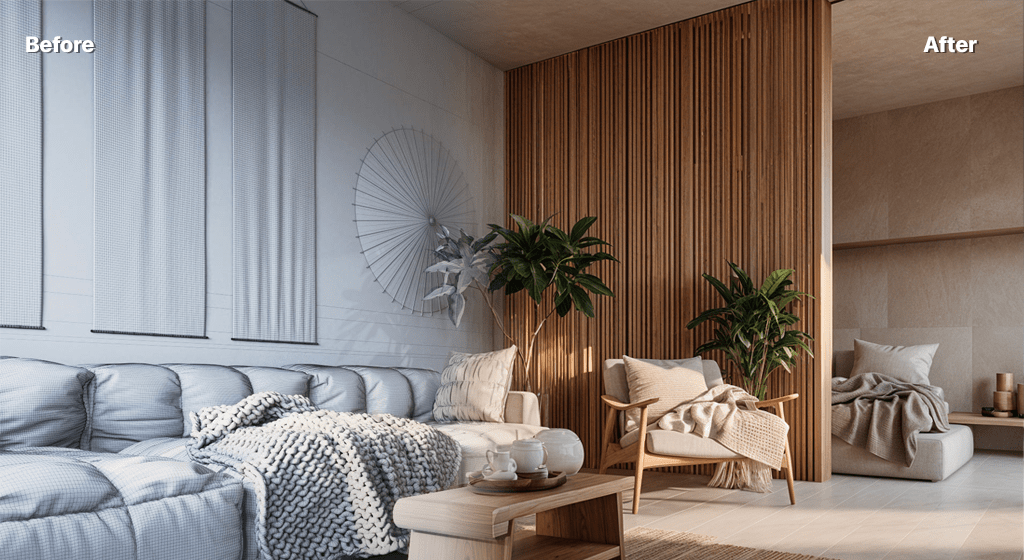
AI living room design turns a photo, plan or sketch of a lounge into a photorealistic render in seconds. Upload your input, pick a style, and AI Render Studio adds seating, joinery, rugs, lighting and decor to show how the space will come together.
Test arrangements and palettes quickly — sectional versus a pair of sofas, warm neutrals versus bold colour, media wall versus open shelving. Generate several variations of one living room and compare them with the client. The AI reads spatial relationships and interior lighting, so the result feels like a real room rather than a moodboard.
Reimagine an existing living room from a photo, render a 2D plan into an eye-level view, or develop a concept sketch. Steer the result with prompts describing the style, key furniture and colour scheme. For whole-home projects, combine it with the kitchen, bedroom and bathroom tools and the broader AI interior renderer. New accounts get 3 free credits, no card required.
FAQ
Frequently asked questions
Can I restyle my current living room?
Yes. Upload a photo and the AI will reimagine the room with new furniture, finishes and lighting while keeping the layout recognisable.
Can I control the furniture and style?
Yes. Pick a style preset or describe the look — modern, mid-century, Japandi, key pieces and colour scheme — in a prompt to steer the render.
Is AI living room design free to try?
Yes — new accounts include 3 free credits with no credit card required.
Keep exploring
Related tools
Start free
Try AI Render Studio now.
Turn a sketch, model or photo into a photoreal render in seconds. 3 free credits, no credit card.