
Watercolor Architectural Rendering
Watercolor Architectural Rendering — Artistic Concept Visuals with AI
Soft washes, loose linework, architectural accuracy — concept-stage artistry without picking up a brush.


 4.9110,000+ architects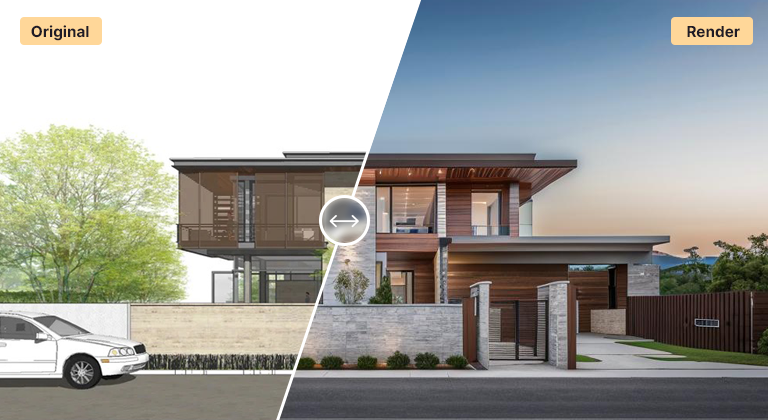
Watercolor rendering brings warmth, atmosphere, and an artistic, hand-painted quality to architectural visualization. AI Render Studio recreates this look in seconds — apply a soft, painterly watercolor aesthetic to any building, elevation, or interior without owning a brush.
Upload a SketchUp export, Revit view, photograph, or line drawing and select the watercolor style. The AI preserves your composition and proportions while reinterpreting materials, light, and surroundings as flowing washes of color, soft edges, and subtle paper texture. The result reads as a deliberate concept illustration rather than a hard photoreal render.
Architects favor watercolor renders for early-stage concept boards, competition submissions, and client presentations where evoking mood and intent matters more than literal detail. They communicate that a design is still exploratory and invite feedback, which is exactly what you want in the schematic phase.
FAQ
Frequently asked questions
How do I get a watercolor look from my 3D model?
Export a viewport image from SketchUp, Revit, Rhino, or any tool as PNG or JPG, upload it to AI Render Studio, and choose the watercolor render style. The AI applies the painterly aesthetic while keeping your geometry and composition intact.
Is watercolor rendering good for client presentations?
Yes — especially for concept and schematic stages. Watercolor renders communicate design intent and atmosphere without implying final precision, which encourages constructive feedback. For final marketing imagery, the photorealistic style is usually a better fit.
Can I apply watercolor style to interiors as well as exteriors?
Yes. The watercolor style works for exteriors, interiors, sections, elevations, and masterplans. The AI adapts the painterly treatment to the content of your input image.
Keep exploring
Related tools
Start free
Try AI Render Studio now.
Turn a sketch, model or photo into a photoreal render in seconds. 3 free credits, no credit card.