
White Model Rendering
White Model Rendering — Clean Massing Visuals with AI
Clean clay massing visuals that put the focus on form, light and shadow — perfect for early design reviews.


 4.9110,000+ architects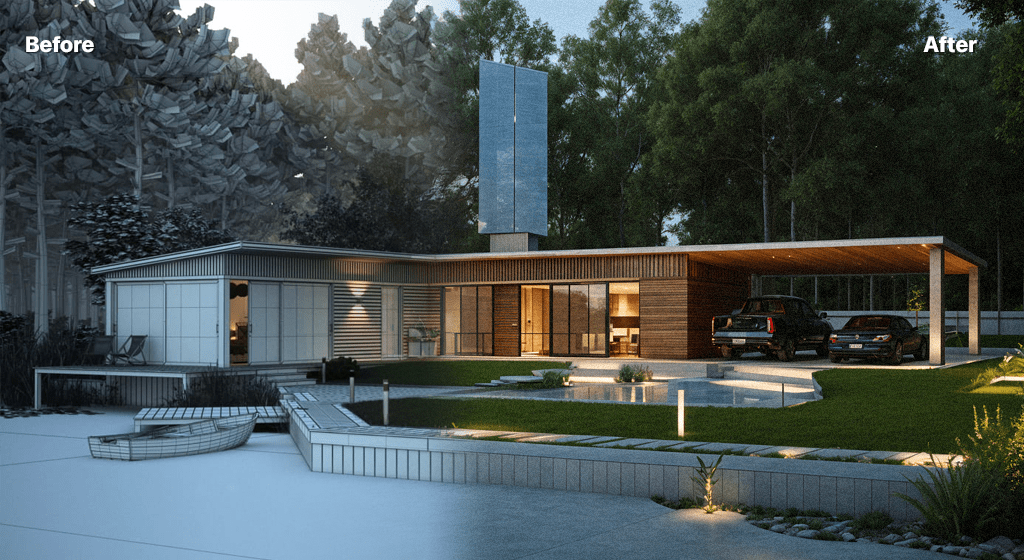
White-model rendering (also called clay rendering) strips a design down to pure form — clean monochrome surfaces, soft studio lighting, and crisp shadows that let massing and geometry speak for themselves. AI Render Studio produces this refined look instantly from any model export or sketch.
Upload your geometry and select the white-model style. The AI applies a uniform neutral material, balanced ambient lighting, and gentle shadowing to emphasize volume, proportion, and the relationships between forms. There is no need to set up studio lighting rigs or assign clay materials in your 3D software.
Designers use white-model renders for massing studies, urban context diagrams, competition boards, and any presentation where material and color would distract from the architectural idea. The look is timeless, professional, and reads clearly at any scale.
FAQ
Frequently asked questions
What is the difference between white-model and clay rendering?
They describe the same idea: a render where all surfaces share a single neutral material so the focus stays on form and massing. AI Render Studio produces both warm clay-toned and cool white-model variations depending on your prompt.
When should I use a white-model render?
Use it for massing studies, early concept reviews, urban context diagrams, and competition submissions where you want to communicate form and proportion without committing to materials or color.
Does white-model rendering preserve my geometry?
Yes. The AI keeps your composition, proportions, and camera angle, applying only the neutral material and studio lighting treatment on top of your existing design.
Keep exploring
Related tools
Start free
Try AI Render Studio now.
Turn a sketch, model or photo into a photoreal render in seconds. 3 free credits, no credit card.