
Enscape vs Lumion vs V-Ray: Which to Choose
AI Render Studio Team · June 2, 2026
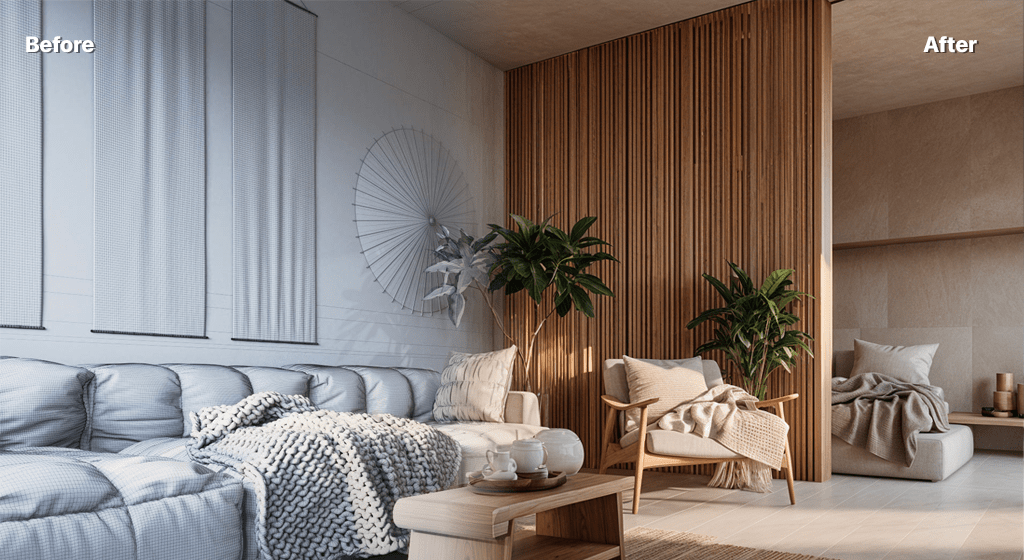
Enscape, Lumion and V-Ray are three of the most widely used renderers in architecture, but they sit at different points on the speed-versus-control spectrum. Picking the right one comes down to your workflow, your hardware and how much art-direction your images need. Here is a practical comparison.
V-Ray — maximum quality and control
V-Ray is a physically based renderer prized for accuracy and full art-direction. It produces the most controllable, highest-fidelity stills and is the standard for final marketing imagery. In return it asks for careful scene setup, the steepest learning curve, a capable GPU or CPU, and longer render times. Choose V-Ray when the final image is the deliverable and quality is non-negotiable.
Lumion — fast, atmospheric, environment-rich
Lumion focuses on speed and mood, with huge libraries of plants, people, materials and weather effects that make rich context scenes quick to build. It is excellent for landscape, site and atmosphere, and produces both stills and video fast. Quality is very good, though for ultra-precise material control V-Ray still edges ahead. Lumion needs a strong GPU.
Enscape — real-time, integrated, easy
Enscape is a real-time renderer that runs inside Revit, SketchUp, Rhino and ArchiCAD, updating the view live as you design. It has the gentlest learning curve of the three and is ideal for real-time walkthroughs, quick reviews and VR. It is the easiest to adopt, with quality that is strong for presentation if a step below a tuned V-Ray still.
How AI rendering fits alongside them
All three are powerful but require setup, hardware and time. AI rendering complements them by handling the fast, early, exploratory work: upload a model export, photo or sketch and get a photoreal concept in seconds with no plugin or GPU. A common 2026 workflow is to explore directions with AI, then finish hero views in V-Ray, Lumion or Enscape. If you are weighing alternatives, see our Lumion alternative and V-Ray alternative pages.
Which should you choose?
For final, art-directed stills, V-Ray. For fast, atmospheric, environment-heavy scenes and video, Lumion. For real-time, integrated, easy presentation, Enscape. And for instant concept turnaround with zero setup, add AI rendering to the mix. Read more in our AI rendering tools comparison and the AI rendering guide.
FAQ
Is Enscape, Lumion or V-Ray best for beginners?
Enscape is the easiest to learn thanks to its real-time, integrated workflow. Lumion is approachable for atmospheric scenes, while V-Ray has the steepest learning curve but the most control.
What is the difference between real-time and photoreal rendering?
Real-time renderers like Enscape and Lumion update the view instantly as you work, prioritising speed and interactivity. Photoreal engines like V-Ray simulate light precisely for maximum fidelity, at the cost of render time and setup.
Do I need all three?
No. Most teams pick one primary renderer for their workflow and increasingly pair it with AI rendering for fast early concepts, rather than running all three.
Keep reading
Try it yourself
Render your design in seconds.
Turn a sketch, model or photo into a photoreal render. Start free — 3 credits, no credit card.